



Five Tips for Creating Your Color Bar
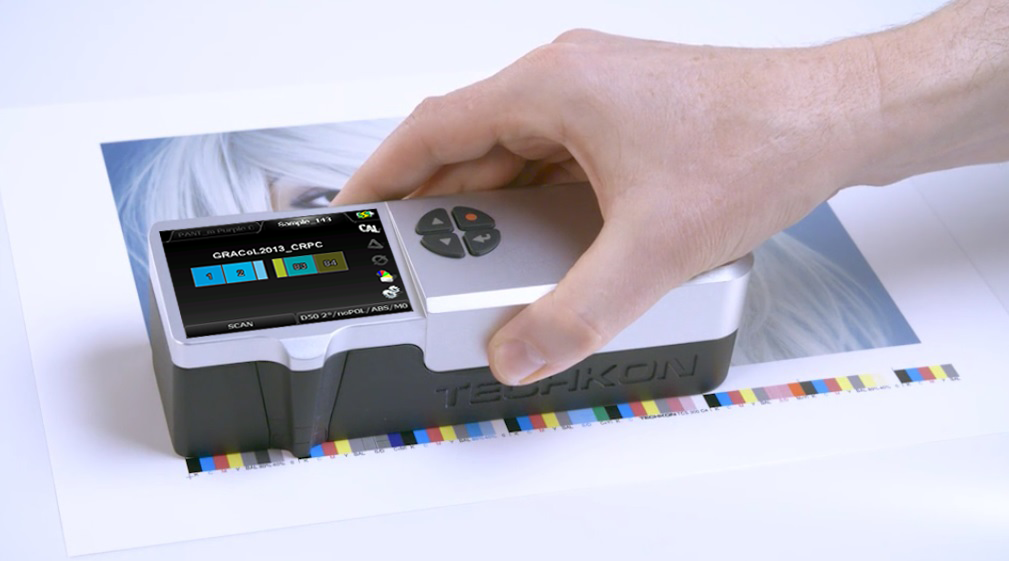
Color bar printing is essential in ensuring consistent and accurate color reproduction on press. A color bar in printing is a strip of standardized color patches—often a CMYK printing color bar—that appears outside the live image area of a printed sheet.
What is the purpose of a color bar?
The main purpose of a color bar is to help press operators and quality control teams monitor and maintain color accuracy during a print run. By measuring the patches in the printing color bar, printers can check ink density, dot gain, gray balance, and color consistency in real time.
What does the color bar indicate?
A color bar indicates whether colors are printing correctly, if adjustments to ink keys are needed, and whether the printed sheet meets color standards. It provides objective data for density or Delta E readings, allowing operators to spot and correct issues before large quantities are printed.
Tip 1: Evaluate All Presses Before Designing Your Color Bar Layout
Evaluate all of your presses so you have complete information on the manufacturer, print width, number of keys, and individual key width. This will allow you to map a color bar in printing that will work for each of your presses.
Tip 2: Ensure Each Ink Zone Has Solid Patches
Be sure that each ink zone has at least one solid patch per ink used on press, so you know how to control the keys based on density or Delta E readings.
Tip 3: Align the Printing Color Bar with Ink Keys
If the printing color bar does not align with the ink keys on press, be sure to figure out the mapping between the color patch location and its corresponding ink keys to adjust. When the color bar does not align with the ink keys, the operator has to make an educated guess on which key to adjust based on a visual evaluation. Also note that if there are missing solid patches of ink used on press for some ink keys, there is no way to monitor and control that ink in those keys.
Tip 4: Consider a Universal CMYK Printing Color Bar
Consider simplifying your workflow by using a universal color bar for one press or even all of the presses in your facility. Also, consider using one color bar that includes enough solids for the press with the most print units, and don’t just impose the extra colors if another press or job does not have the maximum number of colors.
Tip 5: Apply Coating Consistently to the Color Bar Area
If the live image in the job you are printing has a coating, be sure to also put the same coating on the color bar area so the measured result reflects the impact from the coating. Also note that you might need to make density adjustments to compensate. Make sure the coating covers the color bar completely (or does not cover it at all). Do not coat ½ of the color bar with the coating.
There are a few studies that have been conducted on how the varnish, coating, or lamination might change the appearance of printed products. IDEAlliance did a webinar on July 26th on this topic entitled: Coating & Lamination: Finishing Processes and the Effect on Color.